
In the fast-paced world of digital marketing, it’s key to measure your Google Ads campaigns well. This is vital for growing your business and getting the most from your investment. Conversion tracking is a powerful tool that helps you see how your ads work.
Table of Contents
This guide will show you how to set up conversion tracking for your Google Ads account. You’ll learn to make choices based on data and improve your ads. By the end, you’ll know why tracking conversions is important, what types of conversions to track, and how to set up a good tracking system.
Key Takeaways
- Understand the critical role of conversion tracking in measuring the success of your Google Ads campaigns and optimizing your digital marketing ROI.
- Learn about the different types of conversion actions you can track, including website conversions, phone call conversions, app installations, and offline conversions.
- Discover the step-by-step process for setting up and verifying your Google Ads conversion tracking, including manual tag implementation and the use of Google Tag Manager.
- Explore advanced conversion tracking strategies and best practices to avoid common mistakes, ensuring the accuracy and reliability of your data.
- Gain insights into ongoing maintenance and optimization techniques to keep your conversion tracking system up-to-date and effective over time.
Understanding the Importance of Conversion Tracking in Google Ads
In digital marketing, tracking conversions is key to measuring campaign success. A conversion is an action by a user that meets your business goals, like buying something or filling out a form. Knowing what a conversion is and tracking it well helps you see how well your Google Ads are doing. This lets you make smart choices to improve your digital marketing metrics and boost your ROI measurement.
Why Tracking Conversions Matters for ROI
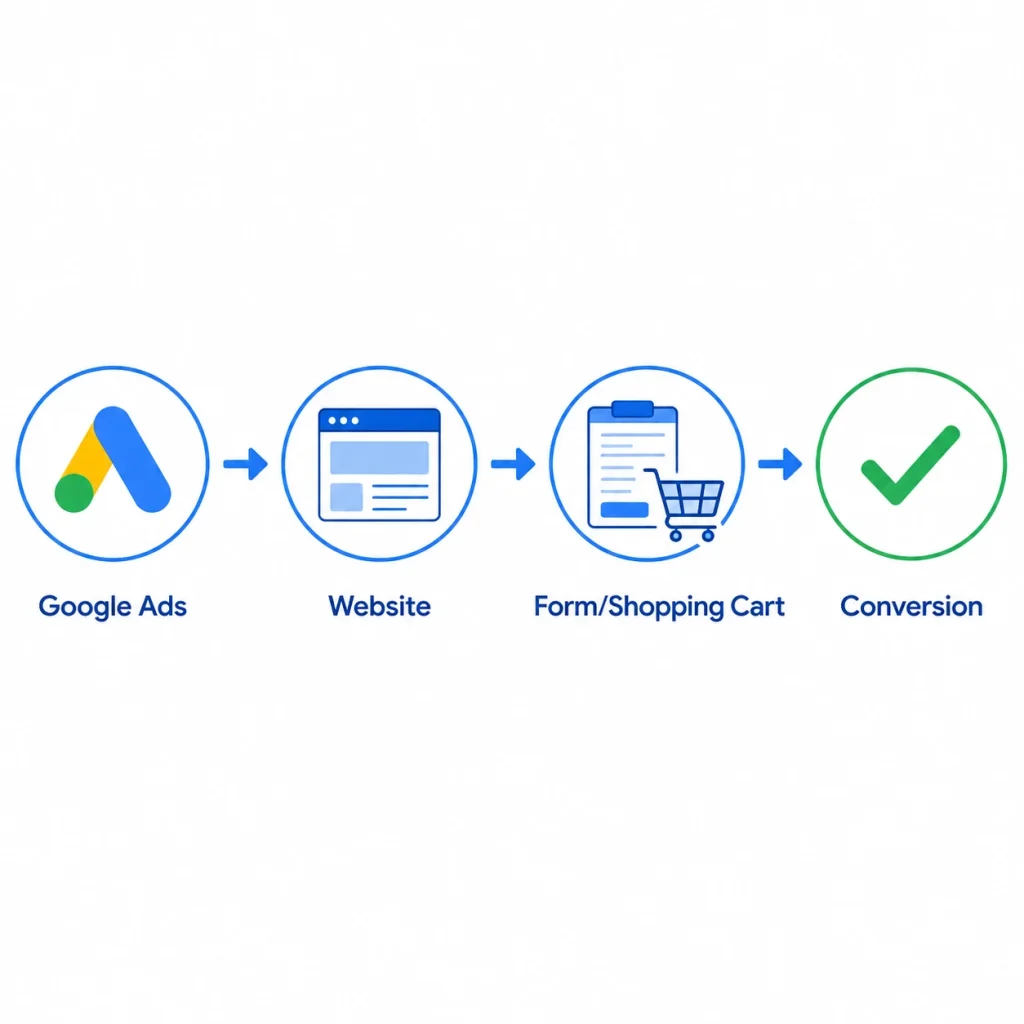
Tracking conversions is essential for figuring out your Google Ads ROI. It shows you how your ads lead to actions that bring in money or meet your goals. This gives you a clear view of how profitable and effective your marketing is.
Key Benefits of Implementing Conversion Tracking
- Optimize ad targeting and bidding strategies to improve campaign performance
- Allocate marketing budgets more effectively by identifying high-performing channels and tactics
- Gain a deeper understanding of user behavior and preferences to inform future marketing decisions
- Measure the true impact of your Google Ads campaigns on your business goals
Adding conversion tracking to your Google Ads account is a big step towards better digital marketing. It helps your business grow in a way that’s easy to measure.
Prerequisites for Setting Up Google Ads Conversion Tracking
Before you can start using conversion tracking in your Google Ads account, you need to meet a few requirements. You’ll need an active Google Ads account and some basic HTML knowledge for tag setup. Let’s look at what you need to get started.
- Active Google Ads account: First, you need an active Google Ads account. This is where you manage your ads and track your conversions.
- Familiarity with HTML: You don’t have to be a coding pro, but knowing some HTML helps. It’s needed for adding the conversion tracking tag to your site. This tag is key for tracking your conversions.
- Alternatively, consider using Google Tag Manager: If coding isn’t your thing, try Google Tag Manager. It makes adding and managing tags easy.
With these basics covered, you’re ready to set up conversion tracking. This will help you understand your Google Ads account better. You’ll be able to make changes for better performance and ROI.
“Conversion tracking is essential for understanding the true impact of your Google Ads campaigns and making informed decisions to improve your ROI.”
Different Types of Conversion Actions You Can Track
Tracking conversions is key to improving your Optimize Google ads account. It shows how well your ads work. You can track more than just website conversions to see how well your marketing does.
Website Conversions
Most Google Ads focus on website conversions. This includes things like filling out forms, buying products, and signing up for newsletters. By tracking these actions, you can see how well your ads work.
Phone Call Conversions
For businesses that get a lot of leads or sales from phone calls, call tracking is vital. Google Ads can track calls from your ads. This gives you insights into the value of these calls.
App Installation Tracking
If you have a mobile app, you can track app installs in Google Ads. This shows how well your app-focused ads work. It helps you see the impact of your ads on app installs.
Import Offline Conversions
You can also bring in offline conversion data into your Google Ads account. This lets you see how your ads affect in-store sales and other offline activities. It’s important for your business.
Using these different tracking options helps you understand your Google Ads better. You can make better choices to improve your online conversions, call tracking, app installs, and offline conversion import efforts.
Step-by-Step Guide to conversion tracking to Optimize Google Ads Account
Learning how to track conversions is crucial for your Google Ads success. This guide will show you how to set up and optimize conversion tracking. You’ll see how it can greatly improve your business results.
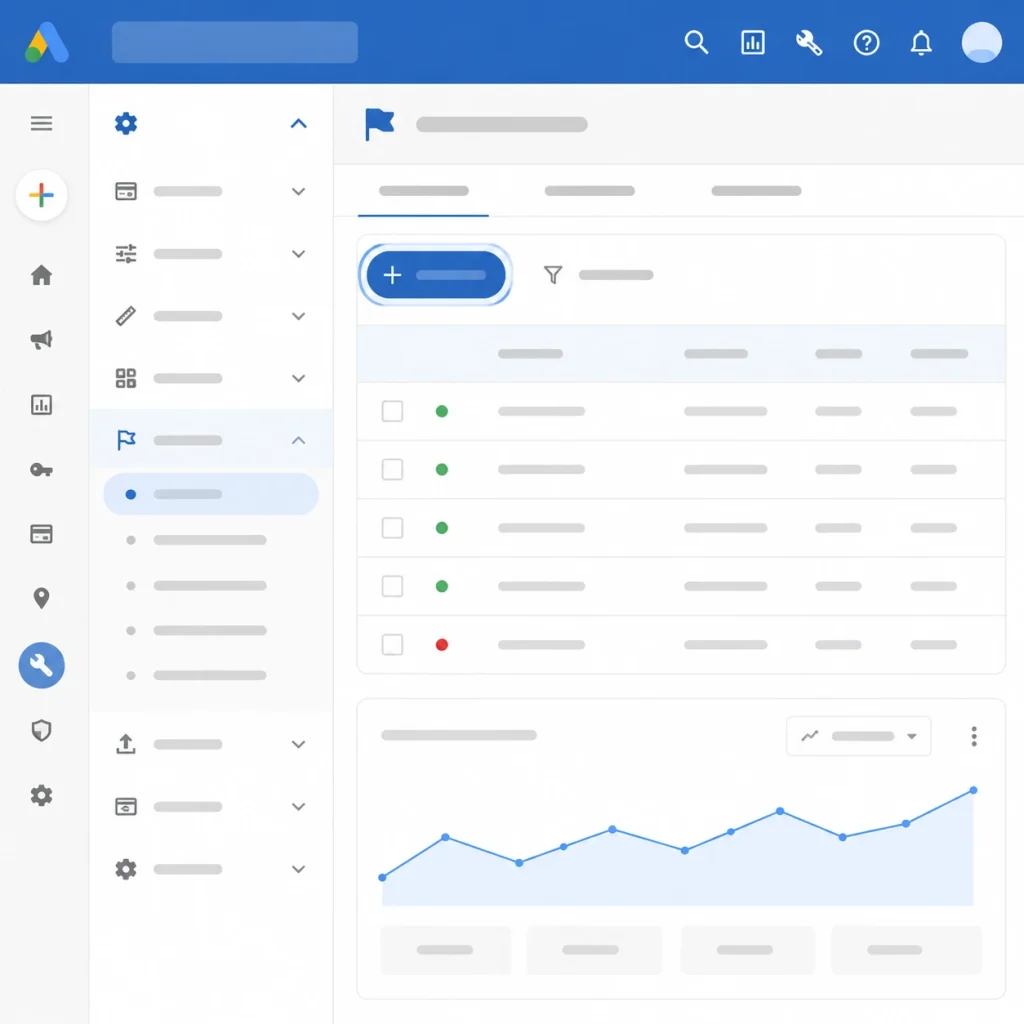
First, go to the Google Ads interface. Click on “Tools & Settings” and then “Conversions.” Here, you’ll set up your conversion tracking to meet your business goals.
- Choose what actions you want to track, like website purchases or phone calls. This helps you see how well your ads are working.
- Put in the right conversion tags. You might need a website tag, a phone call number, or an app code. Google has clear instructions for each.
- Customize your conversion settings. Adjust the attribution model and other options to fit your business needs. This helps you understand your customers better and improve your ads.
- Check and test your tracking setup. Make sure all conversions are tracked and shown in your Google Ads account.
By following this guide, you’ll improve your conversion tracking setup and boost your Google Ads optimization. A detailed step-by-step tutorial is key to getting valuable insights. It helps you make smart decisions that grow your business.
“Conversion tracking is the cornerstone of effective Google Ads optimization. It empowers you to make informed decisions, allocate resources strategically, and ultimately, drive tangible results for your business.”
Installing and Verifying the Google Ads Tag
Getting your Google Ads campaign to work well starts with good conversion tracking. You need to put the Google Ads tag on your website. This tag tracks things like when people buy something or fill out a form. It sends this info back to your Google Ads account.
Let’s look at how to put the Google Ads tag on your site and check if it’s working right.
Manual Tag Implementation
If you know how to code, putting the Google Ads tag on your site is easy. Just copy the tag code and add it to your website’s HTML, in the <head> section. This way, the tag will work on every page, tracking your conversions well.
Using Google Tag Manager
Google Tag Manager (GTM) is a better option if you don’t like coding. GTM lets you handle all your website tags, including the Google Ads tag, in an easy-to-use interface. You can set up the tag to work on certain page actions without changing your site’s code.
Troubleshooting Common Installation Issues
- Tag not firing: Make sure the tag is in the right place in your HTML or set up right in Google Tag Manager.
- Incorrect conversion tracking: Check that the tag is installed correctly and the right actions are set up in your google ads service.
- Delayed data reporting: It might take some time for your conversions to show up in your Google Ads dashboard because of data processing.
By following the best ways to install and check the Google Ads tag, you can start tracking conversions well. This helps you make your Google Ads campaigns better with data.
Setting Up Custom Conversion Values
In the digital marketing world, conversion value assignment is key to measuring ROI for Google Ads campaigns. Assigning money values to conversion actions helps businesses understand their ad revenue. This lets them optimize their campaigns for better e-commerce conversion optimization.
Google Ads lets you set custom conversion values. This feature tracks the revenue from different conversion events. It’s vital for making smart decisions and using your marketing budget wisely.
- Identify Valuable Conversion Actions: Start by picking the conversion actions that matter most to your business. These could be completed purchases, newsletter sign-ups, or form submissions.
- Assign Monetary Values: Give a money value to each action based on its importance and revenue potential. You can do this manually or by linking your ecommerce or CRM system with Google Ads.
- Implement Custom Conversion Tracking: Set up custom conversion tracking in your Google Ads account. Make sure it accurately tracks the revenue from your campaigns.
- Monitor and Optimize: Keep an eye on your conversion data. Adjust your bids, ad creatives, and targeting to boost your Google Ads ROI.
| Conversion Action | Conversion Value |
| Product Purchase | $50 |
| Newsletter Sign-up | $10 |
| Lead Form Submission | $25 |
Using custom conversion values in Google Ads helps businesses understand their ad performance better. This leads to smarter decisions for e-commerce conversion optimization and better revenue tracking.
“Accurate conversion value tracking is the key to unlocking the true ROI potential of your Google Ads campaigns.”
Creating and Managing Conversion Actions in Google Ads
To optimize your Google Ads account, you need to understand conversion tracking well. It’s important to create and manage conversion actions effectively. This part covers key points like choosing the right attribution models, setting conversion windows, and configuring count settings.
Selecting Appropriate Attribution Models
The attribution model you pick affects your conversion action reports and optimization. Google Ads has many models, each with its own benefits. Think about your business goals and how customers interact with your ads to pick the best model for conversion action management.
Setting Conversion Windows
Choosing the right conversion window is key for accurate attribution modeling. The conversion window shows how long a user’s actions are linked to an ad or campaign. Changing this window can help you track more relevant conversions and boost your conversion window optimization.
Configuring Count Settings
Setting up count settings right is vital for keeping your conversion data accurate. Google Ads lets you count conversions in different ways, like unique, every, or one-per-client. Knowing these options and matching them to your business needs helps you get the most accurate data on customer actions.
“Effective conversion action management is the cornerstone of driving meaningful results from your Google Ads campaigns.”
By getting good at these conversion tracking aspects, you can unlock your Google Ads account’s full potential. This leads to better return on investment (ROI) from your digital marketing.
Advanced Conversion Tracking Strategies
Advertisers looking to boost their conversion tracking will find valuable strategies here. We’ll explore enhanced conversions, cross-device tracking, and data-driven attribution. These methods offer deeper insights and ways to improve your campaigns.
Unlocking the Potential of Enhanced Conversions
Enhanced conversions use first-party data like email addresses to improve tracking. This method overcomes cookie tracking limits, especially in today’s privacy-focused world.
Amplifying Insights with Cross-Device Tracking
Today, people use many devices, making cross-device tracking crucial. It connects interactions on smartphones, tablets, and desktops. This gives a full view of the customer’s journey, helping you optimize your campaigns.
Leveraging Data-Driven Attribution
Switching to data-driven attribution models offers new insights. It analyzes the customer’s journey, helping you make better decisions and budget allocations. This leads to better returns on your ads.
| Strategy | Key Benefits | Potential Challenges |
| Enhanced Conversions | Improved conversion tracking accuracyEnhanced privacy complianceDeeper insights into customer behavior | Requires additional data collection and storagePotential user privacy concernsTechnical implementation complexities |
| Cross-Device Tracking | Holistic understanding of the customer journeyImproved campaign optimization and attributionInsights into multi-device conversion paths | Reliance on user login or device identifiersPotential data privacy limitationsComplexity in reconciling user interactions |
| Data-Driven Attribution | Accurate assessment of marketing touchpointsOptimized budget allocation and ROIActionable insights to drive performance | Requirement for robust data infrastructureOngoing model refinement and maintenancePotential learning curve for implementation |
By using these advanced strategies, you can improve your digital marketing. You’ll gain deeper customer insights and see better campaign results and ROI.
Common Conversion Tracking Mistakes to Avoid
Tracking conversions accurately is key to knowing how well your Google Ads campaigns work. Even seasoned digital marketers can make mistakes. Knowing these common errors helps you set up your tracking right and get useful insights for your campaigns.
Duplicate Conversion Counting
Duplicate counting of conversions is a big mistake. It happens when a user does more than one action, like buying and signing up for a newsletter. You need to manage your actions and models well to keep your data accurate.
Incorrect Tag Placement
Putting the Google Ads tracking tag in the right place is vital. Conversion tracking errors can occur if it’s not done correctly. Make sure your tag placement is checked and confirmed to catch all important data.
Poor Goal Configuration
How you set up your conversion goals in Google Ads matters a lot. Bad goals, wrong values, or wrong settings can mess up your data. Spend time setting up and checking your goals to keep your data right.
Fixing these common conversion tracking errors, tag placement issues, and goal configuration mistakes helps your Google Ads campaigns. They will give you accurate, useful data to improve your marketing and get more from your investment.
Best Practices for Ongoing Conversion Tracking Maintenance
Keeping your conversion tracking system in top shape is key for your Google Ads account’s success. To keep your tracking accurate and reliable, follow these maintenance best practices. Here are some important steps to take:
- Perform Regular Audits: Check your conversion tracking setup regularly for any issues. Make sure all tracking codes are correct, tags are up-to-date, and conversion actions are set right.
- Update Tracking Codes: Always update your tracking codes when your website or app changes. Old or wrong tracking codes can mess up your data, hurting your tracking’s effectiveness.
- Ensure Data Accuracy: Look over your conversion data often for any odd trends or numbers. Compare your Google Ads data with other analytics tools to check if it’s right and consistent.
By following these maintenance tips, you keep your conversion tracking system strong. This helps you make smart choices to boost your Google Ads account’s return on investment (ROI).
| Best Practice | Description | Benefits |
| Regular Audits | Do regular checks of your conversion tracking setup to spot and fix problems. | Keeps data true, finds issues, and keeps your tracking optimization working well. |
| Tracking Code Updates | Keep your tracking codes current with changes on your website or app. | Avoids data problems, keeps your tracking solid, and supports ongoing improvement. |
| Data Validation | Compare your conversion data with other analytics tools to make sure it’s correct and consistent. | Makes data more reliable, helps in making better choices, and boosts your Google Ads account’s performance. |
By sticking to these maintenance best practices, you can keep your Google Ads account running at its best. This ensures top performance and ROI.
Conclusion
Adding effective conversion tracking to your Google Ads account is key to better digital marketing. It helps you understand how well your campaigns are doing. This way, you can see the real value of your investment and make smarter choices.
Tracking different types of conversions gives you useful insights. You can use this data to improve your targeting and adjust your budget. By avoiding common mistakes and keeping your tracking up to date, you’ll make sure your data is accurate and reliable.
Learning how to track conversions well can really boost your Google Ads performance. It leads to better results and a higher return on investment. By using these strategies, you’ll be on the path to optimizing your Google Ads and achieving your business goals.
FAQ
What is conversion tracking in Google Ads?
Conversion tracking in Google Ads tracks what users do after clicking on your ads. This includes things like buying something, signing up for a newsletter, or downloading an app.
Why is conversion tracking important for my Google Ads campaigns?
It’s key to see how well your Google Ads campaigns are doing. By tracking conversions, you can find out which ads and keywords work best. This helps you spend your money wisely and boost your marketing results.
What types of conversion actions can I track with Google Ads?
Google Ads lets you track many actions. These include website actions like buying something or filling out a form. You can also track phone calls, app installs, and even offline conversions.
How do I set up conversion tracking for my Google Ads account?
To start, go to the Google Ads interface. Then, find the conversion tracking settings and add the necessary tags and codes. You can do this manually or use Google Tag Manager to make it easier.
How do I assign custom conversion values in Google Ads?
Custom conversion values let you track how much money each action makes. In Google Ads, you can set these values. This way, you can see how much each campaign really makes.
What are some common mistakes to avoid when setting up conversion tracking?
Don’t count the same conversion twice, place tags wrong, or set up goals poorly. Make sure your tracking is right to get accurate data and avoid wrong performance numbers.
How can I optimize my conversion tracking over time?
Keep your tracking sharp by doing regular checks and updates. Also, always watch your data for accuracy. This keeps your tracking system working well and meets your business goals.