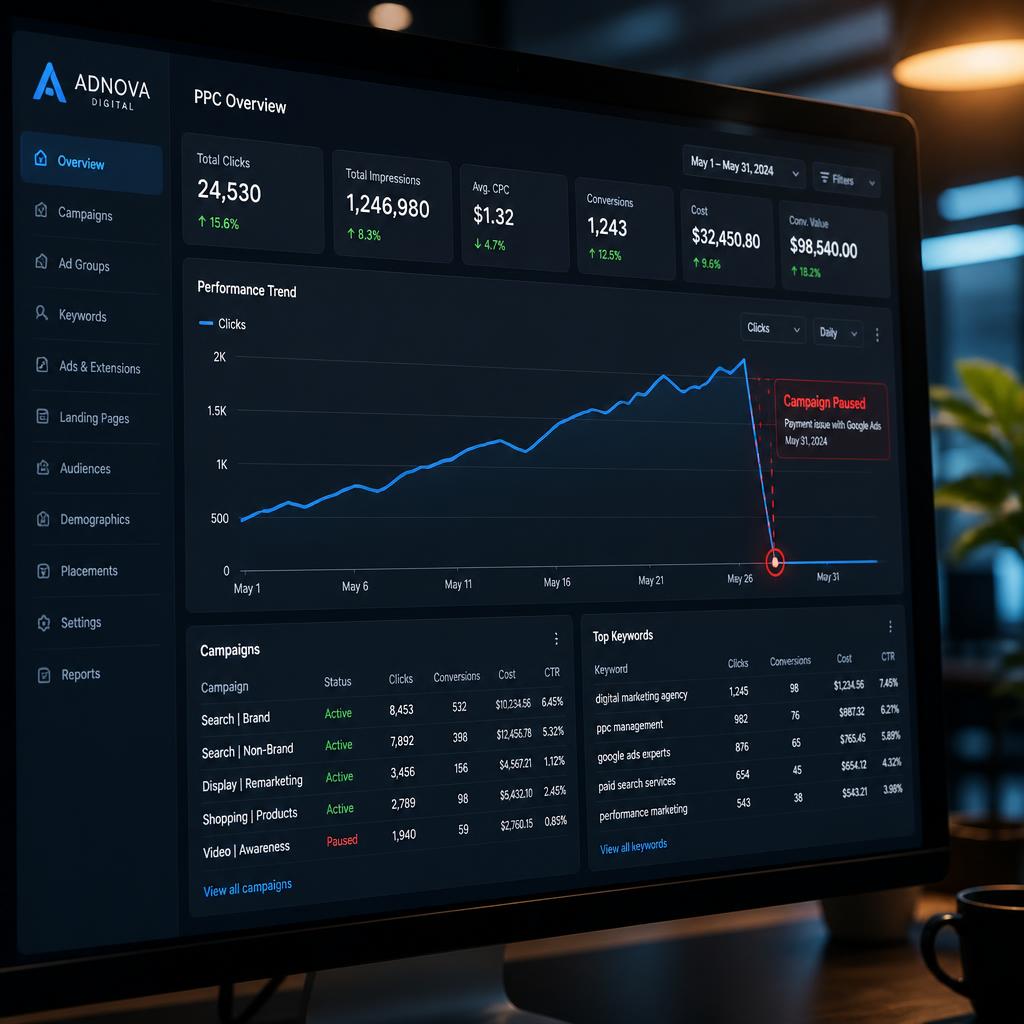
Running a high-performing pay-per-click (PPC) campaign requires precision, strategy, and continuous optimization. However, nothing halts your marketing momentum faster than a sudden billing error. When payment disruptions occur, Google immediately pauses your active ads, leading to lost traffic, missed leads, and disrupted conversion tracking.
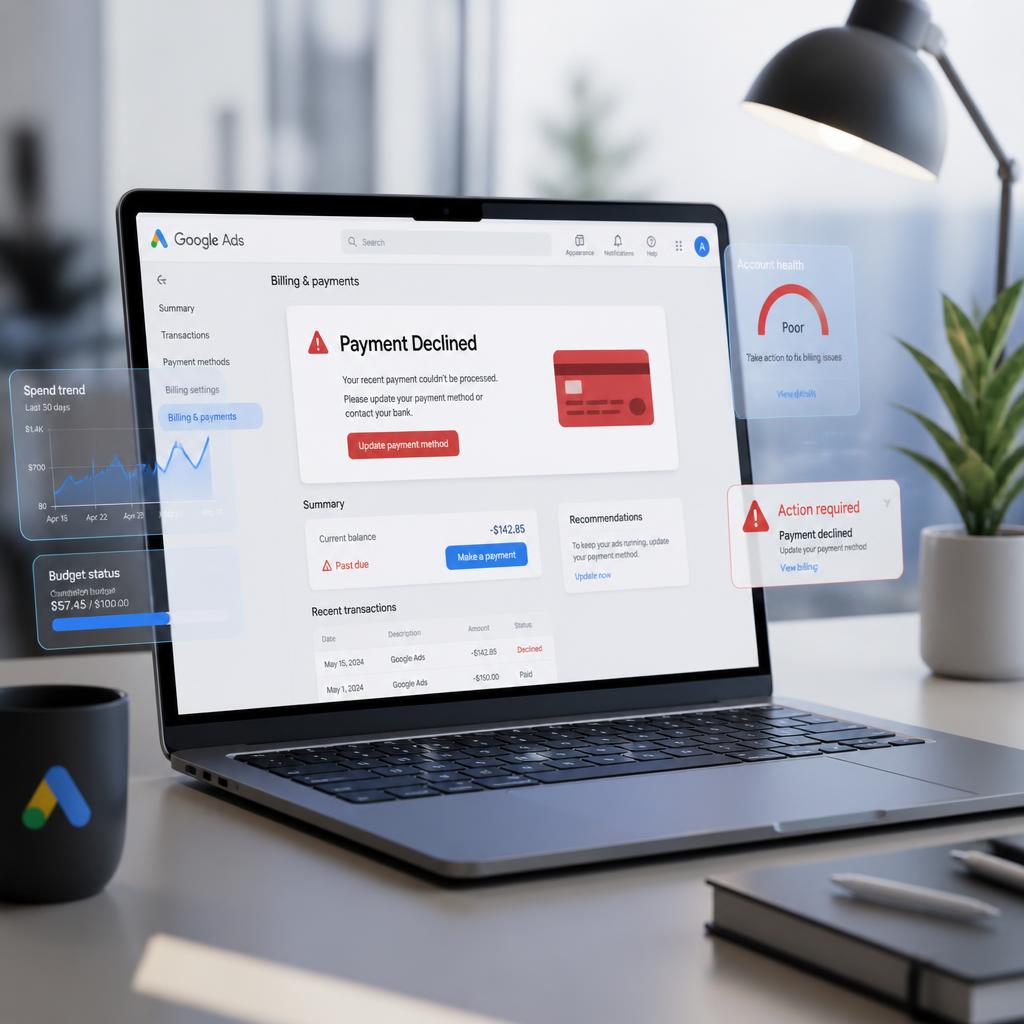
Understanding the root causes of google ads billing issues common problems—and knowing how to resolve them quickly—is critical for maintaining smooth campaign operations. In this guide, we explore the most frequent payment errors, step-by-step troubleshooting solutions, and how transitioning to a professional account structure can eliminate these billing headaches permanently.
Google Ads Billing Issues Common Problems & How to Fix Them
Google relies on automated risk assessment and strict financial compliance rules. If any anomaly is detected in your payment profile, your account may face temporary holds or payment declines. Below are the primary billing issues advertisers encounter:
A. Payment Declined Errors
One of the most frequent issues is an unexpected payment decline when Google attempts to charge your primary payment method.
Primary causes: Insufficient funds, expired credit cards, daily transaction limits set by your issuing bank, or international payment restrictions.
How to fix:
- Log into your Google Ads account and navigate to Tools & Settings > Billing > Payment Methods.
- Verify that your card details and expiration dates are accurate.
- Contact your bank to ensure international/online transactions are authorized and raise daily spending limits if necessary.
- Add a backup payment method to prevent immediate campaign interruption if your primary card fails.
B. Account Suspended for Suspicious Payment Activity
Receiving a “Suspended for Suspicious Payment Activity” notification is one of the most severe billing issues. This automated flag occurs when Google suspects potential fraud or unauthorized card usage.
Primary causes: Using a credit card where the billing name does not match the Google Ads account holder, utilizing unverified virtual cards, accessing the billing profile via inconsistent IP addresses/VPNs, or chargeback disputes.
How to fix:
- Do not create a new account (this violates Google’s circumvention policies and leads to permanent bans).
- Gather verification documents, including official government ID and bank statements clearly displaying the payment card details.
- Submit a formal Google Ads Suspension Appeal via the official help center, attaching clear documentation to prove card ownership.
C. Reaching Billing Threshold Limits Unexpectedly
Google Ads operates on automated billing thresholds—set dollar amounts (e.g., $50, $200, $500) that trigger an automatic charge once reached, or after 30 days, whichever comes first.
Primary causes: Rapidly scaling campaign daily budgets can cause your account to hit its billing threshold multiple times a day, triggering security flags with your bank.
How to fix: Monitor spending velocity during high-scale promotions, make manual prepayments (prefunded account balance) to reduce the frequency of automated threshold charges, and request an increase in your billing threshold once your account demonstrates a consistent payment history.
D. VAT, Tax ID, and Regional Billing Profile Mismatches
Tax regulations (such as VAT in Europe or GST in other regions) require accurate billing profile information. Mismatches between the registered business address, the issuing country of the credit card, and the tax location selected during initial setup commonly cause failures.
How to fix: Update your business tax details under Billing > Settings. Ensure your registered tax identification number matches official government registries exactly.
How Payment Delays Impact Campaign Performance
A billing failure is not just an administrative nuisance; it directly harms your advertising ROI. When payments fail and campaigns pause unexpectedly:
- Smart Bidding disruption: AI-driven bidding strategies (such as Target CPA or Target ROAS) rely on continuous conversion data. Sudden pauses disrupt machine learning algorithms, requiring a recovery period once campaigns resume.
- Loss of ad impression share: Competitors step in to capture your lost impression share during account downtime, often driving up auction costs when your ads go live again.
- Quality Score penalties: Frequent stops and starts can negatively impact historic campaign metrics and overall account health.
Understanding how payment delays in AdWords agency accounts affect campaign performance highlights why maintaining uninterrupted funding is essential for long-term algorithmic stability.
Why Personal Accounts Experience Frequent Billing Failures
Standard self-serve Google Ads accounts rely heavily on primary credit or debit cards, making them highly vulnerable to transactional friction. When managing individual accounts, dealing with google ads billing issues common problems often becomes a repetitive challenge due to consumer banking constraints.
Individual advertisers frequently face:
- Strict automated spending caps imposed by consumer banks
- Higher susceptibility to automated risk flags during international ad spend
- Lack of access to direct, fast-track Google customer support when payment suspensions occur
For growing businesses and marketing teams, relying solely on standard payment methods introduces operational vulnerabilities that can bring revenue generation to a halt.
Google Ads Agency Accounts: The Permanent Billing Solution
To bypass the recurring risks associated with standard payment cards, established businesses and brands utilize specialized account frameworks. Upgrading to a dedicated google ads agency account provides an enterprise-grade solution to billing instability—especially useful when teams need to rent google ads account infrastructure with more stable funding.
Key Billing Advantages of an Agency Account
- Monthly invoicing & credit lines: Qualified agency accounts move away from credit card threshold billing entirely. Instead, campaigns run on extended monthly credit lines (invoicing), eliminating credit card decline errors.
- Immunity to suspicious payment flags: Because billing is backed by verified agency credit lines, accounts are protected from automated “Suspicious Payment” suspensions caused by banking glitches.
- Dedicated Google support: Agency structures grant access to direct Google support representatives, ensuring immediate escalation and resolution if account queries arise.
By shifting execution to a robust agency structure, advertisers eliminate payment bottlenecks and maintain uninterrupted ad delivery with a trusted Adwords agency partner.
Checklist: How to Prevent Future Billing Errors
Preventative management is key to maintaining healthy ad operations. Implement this checklist to safeguard your account:
- Assign a backup credit card: always maintain an active secondary payment method within your billing profile.
- Pre-fund high-budget campaigns: if running aggressive seasonal promotions, make manual payments in advance to stay ahead of billing thresholds.
- Align payment profile details: ensure the business name, address, and cardholder details match perfectly across all documentation.
- Partner with experts: work with certified professionals for active Google Ads Management to ensure billing settings, tax codes, and compliance protocols remain error-free.
Conclusion
Finding ways to solve google ads billing issues common problems quickly is vital to preserving campaign momentum, Quality Scores, and revenue streams. While basic troubleshooting like adding backup cards or calling your bank can fix immediate glitches, transitioning to a structured Google Ads Agency Account offers a long-term, enterprise-level safeguard.
Don’t let payment disruptions pause your growth. Partner with our team today to streamline your advertising infrastructure and secure uninterrupted ad performance.
Frequently Asked Questions
What should I do immediately if my payment is declined?
First, check with your bank to ensure there are no international restrictions or transaction limits. Once confirmed, log into Google Ads, go to Billing > Payment Methods, and re-try the payment or select a backup card.
How long does it take to fix a suspended payment profile?
Submitting an appeal with complete documentation (IDs and bank statements) typically takes anywhere from 24 hours to a few business days for Google’s trust and safety team to review and resolve.
Can switching to an Agency Account prevent billing suspensions?
Yes. Agency accounts utilize official invoicing credit lines rather than automated credit card debits, effectively removing the triggers that cause personal accounts to face suspicious payment suspensions.