
Managing Google Ads for a small catalog with a few dozen SKUs is nothing like running paid media for a retailer with thousands of products, uneven margins, and constantly shifting stock.
At that scale, weak creative or a suboptimal bid strategy is rarely the first failure point. The foundation is usually the account itself. A flawed layout sends mixed signals to Smart Bidding, lets low-margin items absorb budget, and makes true incremental ROAS impossible to see.
This guide walks through a practical google ads account structure large ecommerce stores can use to separate brand demand, segment Performance Max by commercial priority, and keep non-brand Search under control—work an experienced Google Ads agency treats as architecture, not cosmetics.
Why Large Ecommerce Stores Need a Dedicated Account Structure
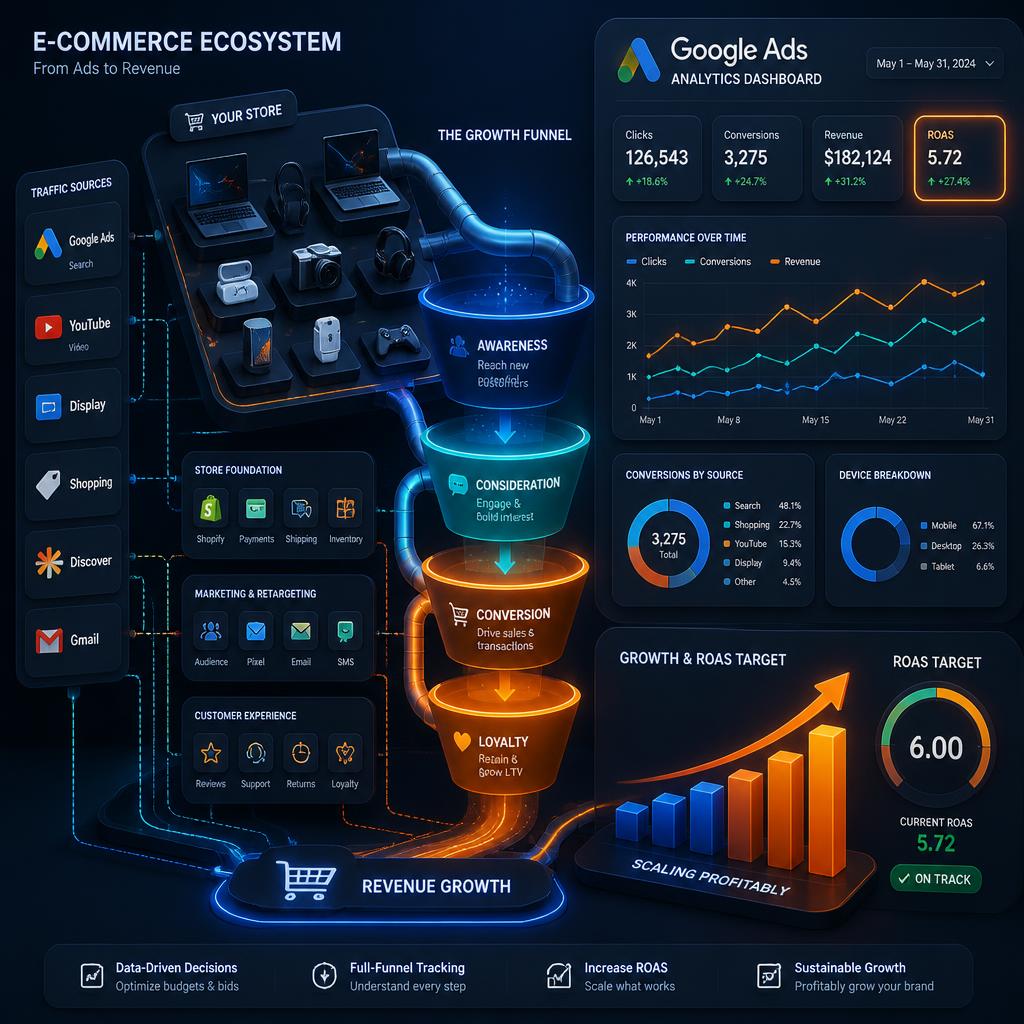
Enterprise catalogs create commercial realities that a single catch-all campaign cannot handle:
- Varying profit margins: A 5% margin SKU and a 40% margin SKU should not share one Target ROAS.
- Bestsellers vs. slow movers: Automated campaigns often overfund cheap or easy conversions and underfund hero products.
- Diluted performance signals: Brand search converts far higher than cold prospecting. Mixing them inflates metrics and hides true acquisition cost.
That is why professional Google Ads management for large retailers segments by intent, product economics, and funnel stage—not by convenience.
Core Principles of a Scalable Ecommerce Structure
1. Isolate Brand Traffic Completely
Branded queries belong in dedicated Search campaigns. In Performance Max and other prospecting campaigns, apply brand exclusions so the algorithm must capture incremental demand instead of harvesting existing brand intent.
2. Use Custom Labels in Google Merchant Center
Your product feed is the real engine of ecommerce Google Ads. Custom Labels let you group SKUs by business logic, not only by category taxonomy:
- Custom Label 0: Profit margin tier (high / medium / low)
- Custom Label 1: Sales velocity (bestsellers / regular / clearance)
- Custom Label 2: Inventory and seasonality (seasonal / back in stock / slow moving)
3. Balance Automation With Manual Budget Boundaries
Machine learning thrives on clean inputs. A strong google ads account structure large ecommerce stores setup guides automation with clear budget walls rather than handing the entire catalog to one campaign and hoping the algorithm “figures it out.”
The Ideal Campaign Architecture for Large Ecommerce Stores
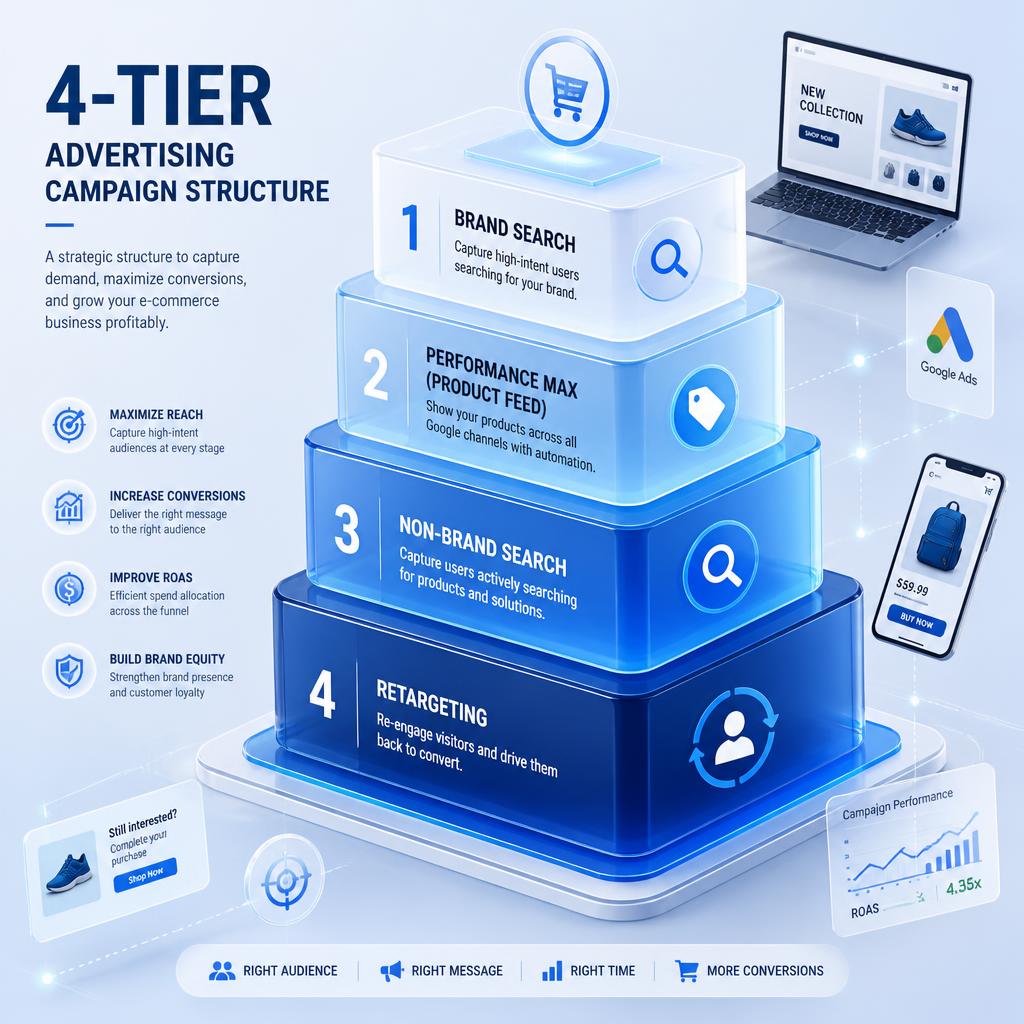
A durable framework uses four layers:
- Layer 1 — Brand protection (Search): Exact and phrase brand terms with Target Impression Share or controlled Manual CPC.
- Layer 2 — Segmented Performance Max: Separate PMax campaigns by margin, velocity, or category priority.
- Layer 3 — Non-brand Search: Tight theme-based ad groups for high-intent category and product queries—core Google Search Ads work.
- Layer 4 — Upper funnel and remarketing: Demand Gen / Video for prospecting and cart abandoners.
Layer 1: Brand Search Campaigns
Protect your store name, trademark variants, and high-converting brand+product combinations. Keep bids efficient enough to own the SERP without competing against your own prospecting campaigns for the same users.
Layer 2: Segmented Performance Max
One catch-all PMax campaign is a common failure for large catalogs. Segment instead:
- PMax — High margin / bestsellers: Majority of acquisition budget with a moderate Target ROAS for volume.
- PMax — Standard catalog: Mid-tier products with average conversion economics.
- PMax — Clearance / low margin: Higher Target ROAS so spend stays profitable.
If you suspect budget is leaking across these tiers, a structured Google Ads audit often exposes where PMax is overfunding easy SKUs at the expense of profitable ones—especially when teams rent google ads account setups without clear feed ownership.
Layer 3: Non-Brand Search
Keep granular Search for commercial non-brand terms with strong buying intent (for example, “buy ASUS gaming laptop”). Use single-theme ad groups so ad copy and landing pages stay tightly aligned.
Layer 4: Demand Gen and Retargeting
Use Demand Gen across YouTube, Gmail, and Discover to build demand and re-engage cart abandoners with visual creative. Keep these budgets separate so upper-funnel learning does not dilute lower-funnel ROAS reporting.
Real-World Naming Example: Consumer Tech Catalog
A clean google ads account structure large ecommerce stores naming convention might look like this:
US_Search_Brand_Exact— store-name demandUS_PMax_Laptops_HighMargin_tROAS400— premium gaming and pro laptopsUS_PMax_Smartphones_Bestsellers_tROAS350— flagship volumeUS_PMax_Accessories_LowMargin_tROAS600— cables, cases, low-margin add-onsUS_Search_NonBrand_GamingLaptops_Phrase— high-intent category SearchUS_DemandGen_Prospecting_TechEnthusiasts— upper-funnel video and image
Consistent naming lets a google ads agency dubai or in-house team reallocate budget by margin tier in minutes instead of reconstructing the account from scratch every quarter.
Common Structural Mistakes to Avoid
- Over-segmentation by SKU: One campaign per product starves Smart Bidding. Aim for enough monthly conversions per campaign (often roughly 30–50) to exit learning reliably.
- Ignoring stock levels: Out-of-stock ads waste spend and damage trust. Sync inventory with Merchant Center automatically.
- Static layouts: Seasonal spikes, new lines, and clearance cycles require structural updates—not only bid tweaks.
- Mixing brand and non-brand in PMax: Inflates ROAS and hides whether prospecting is profitable.
When structure is messy but tracking is sound, a focused Google Ads tune-up can re-segment PMax and Search without a full rebuild. An Adwords agency that only “optimizes bids” on a broken layout usually relearns the same waste every month.
Simple vs. Enterprise Ecommerce Structure
Smaller catalogs can often run one or two PMax campaigns plus a brand Search campaign. Large catalogs need margin and velocity segmentation because a single Target ROAS cannot serve conflicting product economics. Choose complexity only where it unlocks budget control—not as a vanity hierarchy.
Final Account Structuring Checklist
- Enrich Merchant Center with business-focused Custom Labels.
- Isolate branded search from non-brand and PMax.
- Split product groups by margin tier and conversion velocity.
- Confirm every active campaign has enough conversion volume for Smart Bidding.
- Standardize naming for multi-market reporting.
A clear, tiered google ads account structure large ecommerce stores framework eliminates wasted spend, feeds machine learning cleaner data, and gives you a reliable base to scale profitably.
Frequently Asked Questions
How many Performance Max campaigns should a large ecommerce store run?
It depends on catalog diversity and margin ranges. Running 3 to 5 segmented PMax campaigns based on commercial priorities—such as high-margin bestsellers versus low-margin accessories—is typically optimal for clean budget control.
Why shouldn’t I put my entire product catalog in one PMax campaign?
A single campaign lets the algorithm favor cheaper or easier conversions and neglect high-value products. It also prevents distinct Target ROAS goals aligned with actual product margins.
What role do Custom Labels play in large ecommerce Google Ads accounts?
Custom Labels in Google Merchant Center tag products by business attributes such as margin tier, bestsellers, or inventory status so you can filter them into specific PMax or Shopping campaigns.
How long does a newly structured account take to optimize?
Smart Bidding generally needs a 2 to 4 week learning phase after major structural changes. Avoid aggressive bid or budget swings during that window.